4.7.2. creating 3D shapes in sketchup
Creating 3D shapes
In SketchUp, 3D shapes can be created using all the usual drawing tools such as Line, Rectangle, Circle, Push/Pull, Follow Me, etc…
It is important to correctly define the desired spaces at this stage and make sure that each of them is defined by an appropriate bounded volume.
Note: if the bounded volumes are adjacent, they will be understood as spaces in the same building. If they are not, they will be understood as different buildings
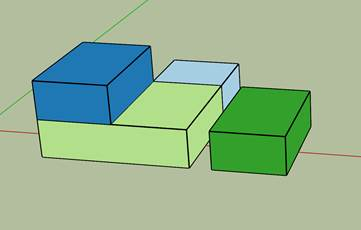
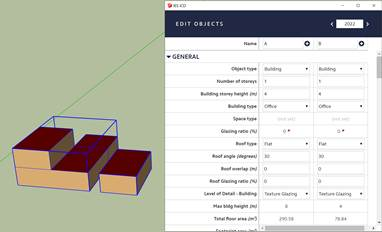
In the example below (Figure 4-22), four bounded volumes were defined and grouped together. The one on the right makes a separate building from the other three as it is not adjacent to them.
Figure 4-22 Bounded volumes converted into buildings
Note: shapes that don’t define a bounded volume are treated as local shades by iCD (see section on Local shades below)
Glazing
iCD interprets polygons (or circles) within a face that define a bounded volume as glazing.
Glazing can then be created by drawing polygons on any face that define a bounded volume.
Note: A polygon will be recognised as a glazing only if it is fully within a face. If the polygon shares an edge with the main face it is on, it won’t be recognised as a glazing.
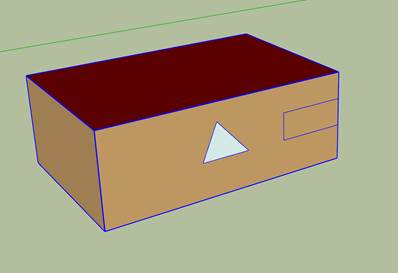
In the example below (Figure 4-23), the triangle being fully within the face it is on, was created as a glazing. However, because the rectangle on the right is sharing an edge with the main face, it is not recognised as a glazing.
Figure 4-23 Polygons on faces to create glazing
Local shades
iCD interprets faces that are not defining a bounded model as local shades.