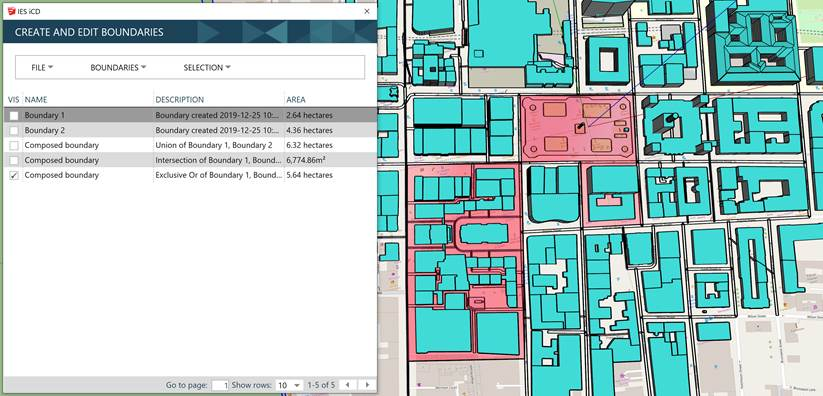
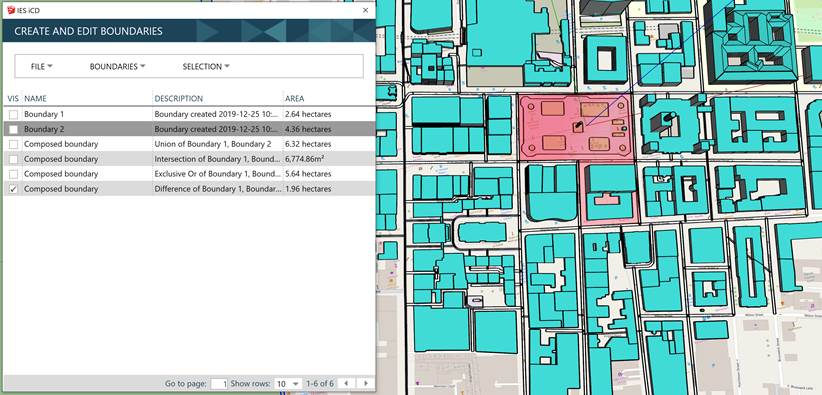
Compose option in the Boundary tool consists of several functions such as union, intersection, exclusive or and Difference. The option is activated when 2 or more boundaries are created. It can be used for the following purpose in the iCD model:
Boundary tool < Boundaries < Compose
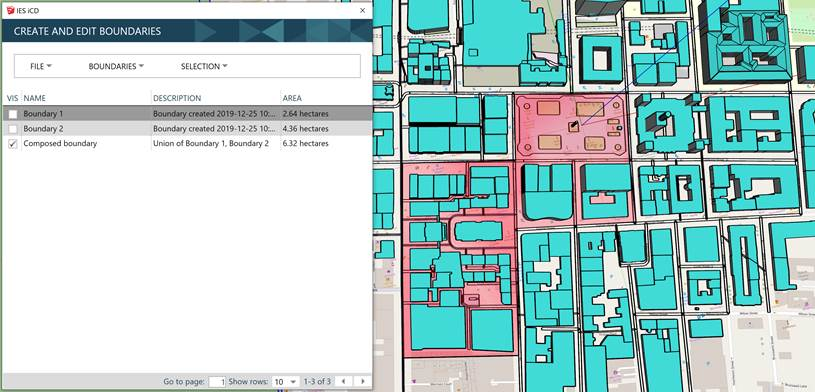
·Union: Creates a new boundary which covers the combined areas of the selected boundaries. (Example: Select the boundaries which are created/imported from the boundaries list and select Union option. A new boundary will be created, composed of all the selected boundaries).
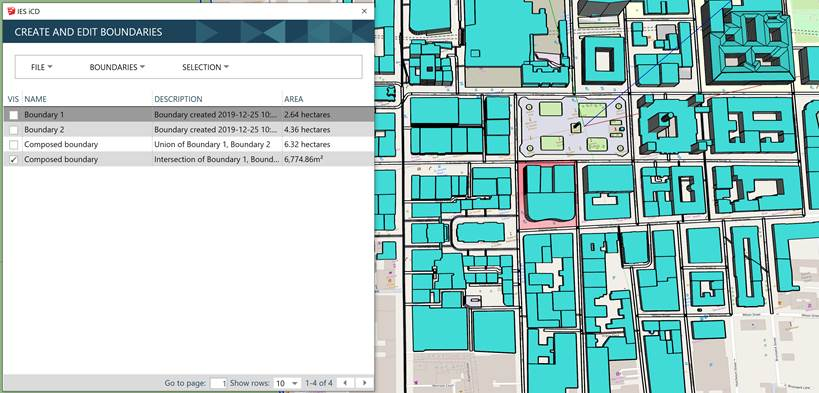
·Intersection: Creates a new boundary which covers the area of intersection of the selected boundaries.
·Exclusive or: Creates a new boundary which covers the total area of the selected boundaries minus the area of their intersection.
·Difference: Gives the end user the opportunity to create a boundary by subtracting the area of one boundary to the area of another one.
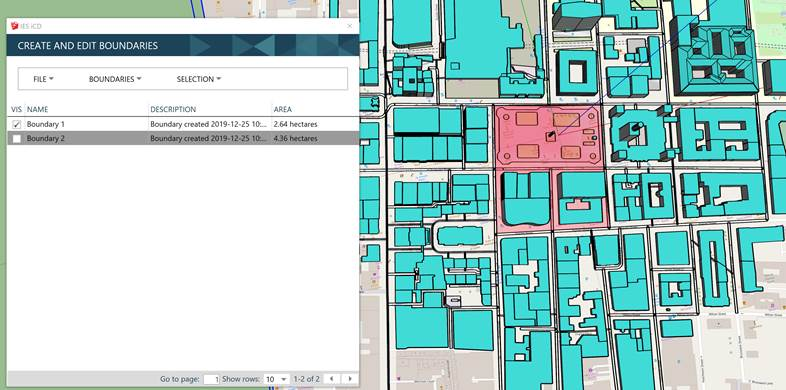
Figure4-92New Boundary 1
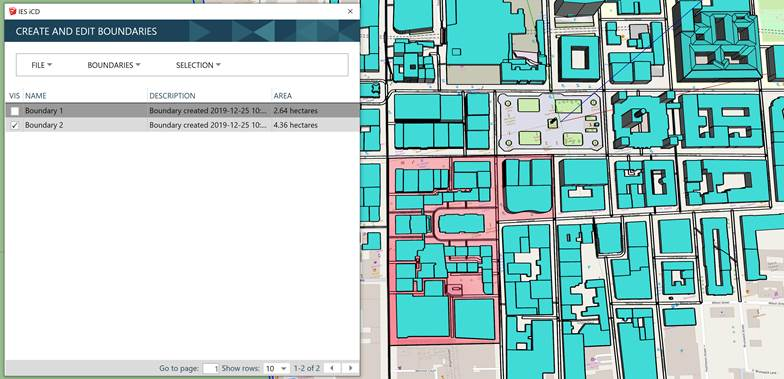
Figure4-93New Boundary 2
Figure4-94Union of Boundary 1 & 2
Figure4-95Intersection between Boundary 1 & 2
Figure4-96Exclusive boundary from Boundary 1 and 2 (composed of the union of boundary 1 and 2 minus their intersection).
Figure4-97Difference between boundary 1 and 2: the new boundary is constituted of boundary 1 minus the area it shares with Boundary 2.