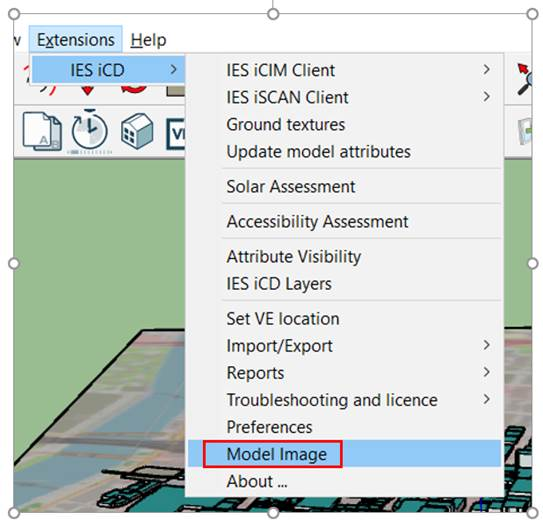
The user can add a model image from Extension->IES iCD->Model Image
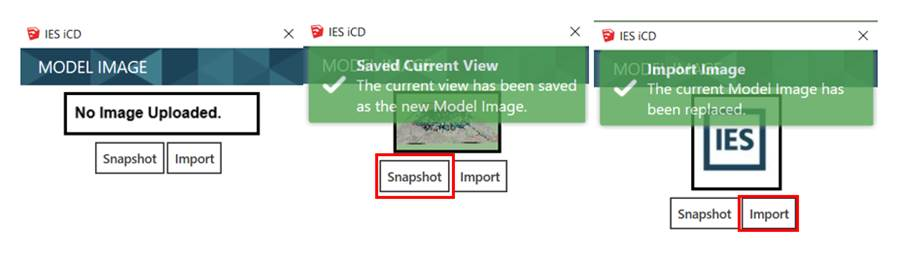
Figure 3-4: Model Image
Click on the model image.
The user can either select a snapshot of the model or an image from a folder.
Clicking on snapshot will save the current view. OR the user can click on Import and browse the folders and select an image.